FAQ

1. GENERAL QUESTIONS.

¿What is APLI Print Online?

APLI web print is an online tool to edit APLI labels. To use it, click here.

¿Is it possible to edit labels with Android or iPhone?

APLI currently does not have any application for editing labels with Android or iPhone.

However, it is possible to edit them if you have Microsoft Word for mobile devices installed. In this case, you must download the Word templates available on our website and open the document to edit it.

You can download the templates by clicking here.

2. APLI PRINT ONLINE

¿How can I edit labels with APLI Print Online?

  1. Access APLI Print Online. You can do this by clicking on this link.

  2. Enter the reference number of the label you wish to edit or search by category.

  3. You can edit the label using the buttons on the left-hand menu of the screen. 

When you have finished editing, you can print or save the label. 

3. WORD TEMPLATES

¿How can I download a label template for Word?

Acces this link.

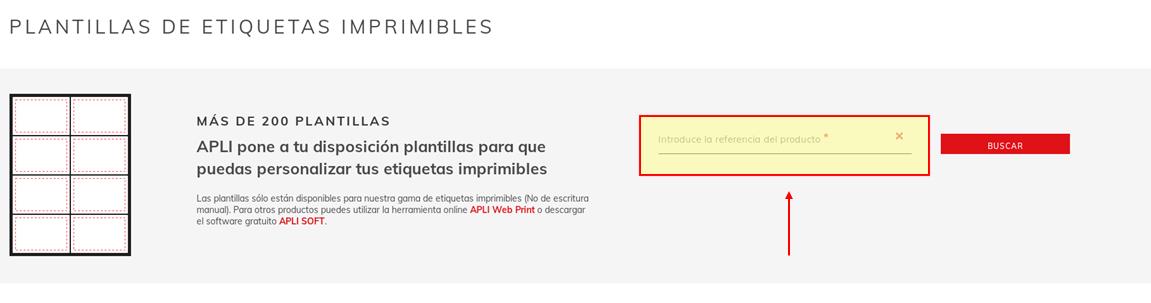
Enter the APLI label reference in the search engine and click on Search.

Introduce la referencia

A pop-up window will appear automatically with the Word document to save. Click on Ok, choose the location you want to use to save it on your computer and click on Save.

¿How can I load a label template in Word?

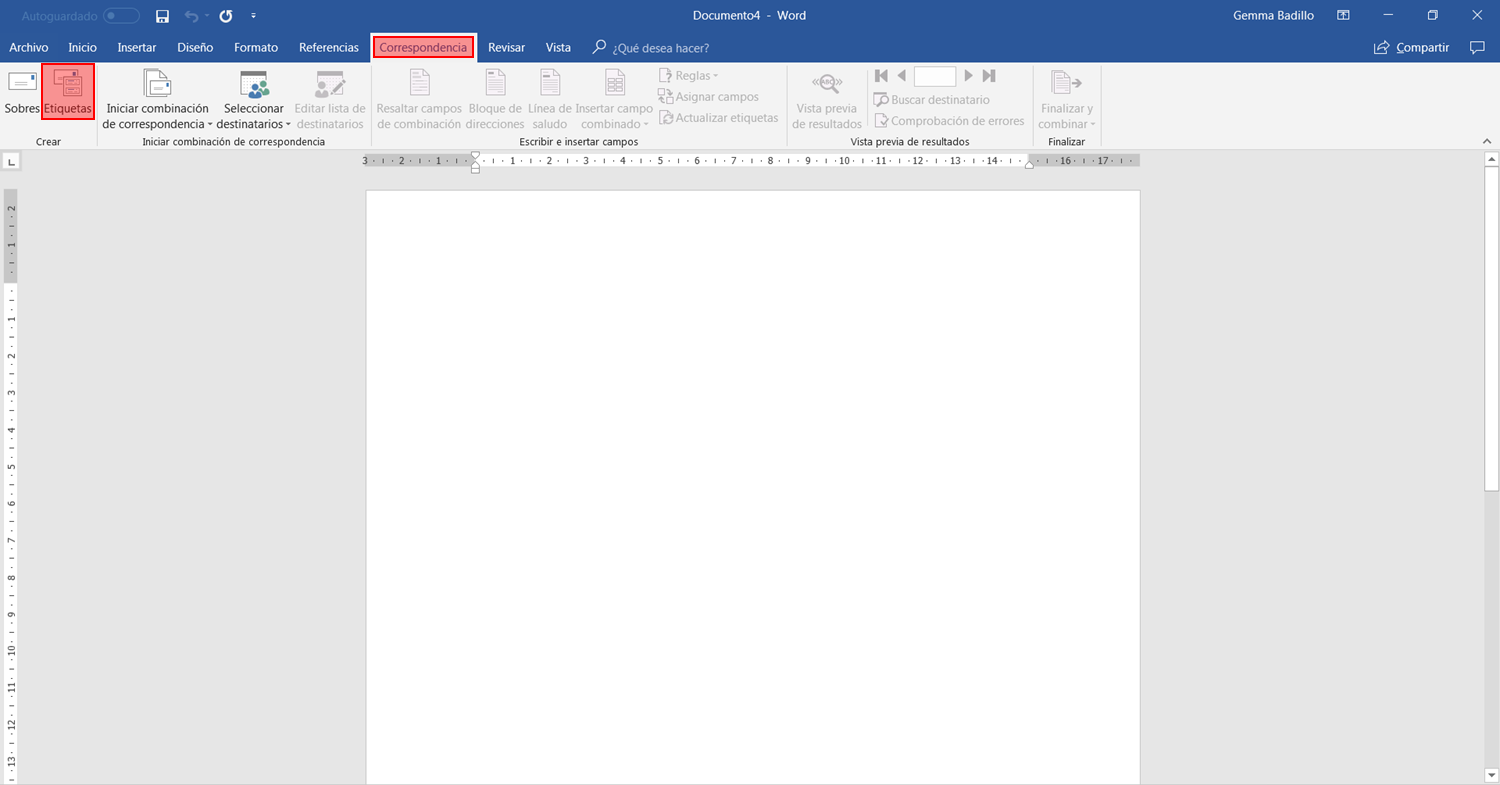
Open a new Word document and select the following route in the upper menu: Correspondence > Labels.

Imagen 21

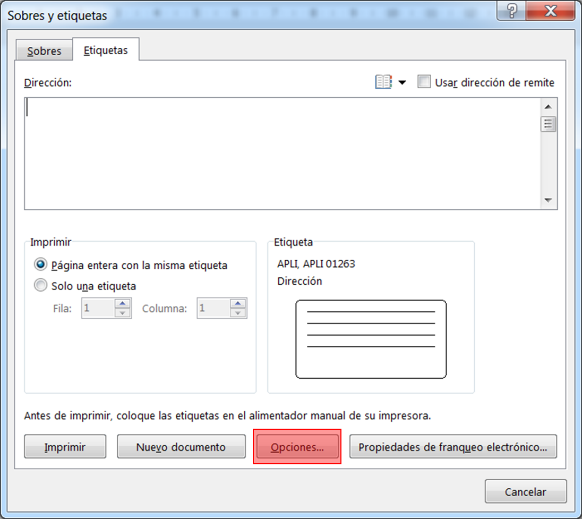
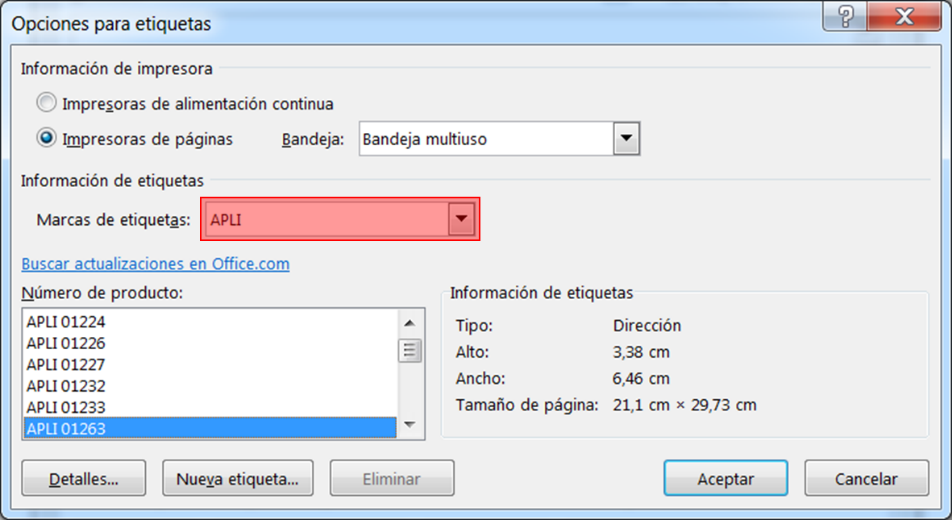
A window will open in which you must select Options.

Imagen 22

Within Options, you must select the “Label Brand” > APLI. When you have done this, a list will be loaded with all the APLI templates available by reference. On the right you will see the dimensions of each reference, so you can choose the best one for your needs.

Imagen 23

¿How can I see the grid in the Word template?

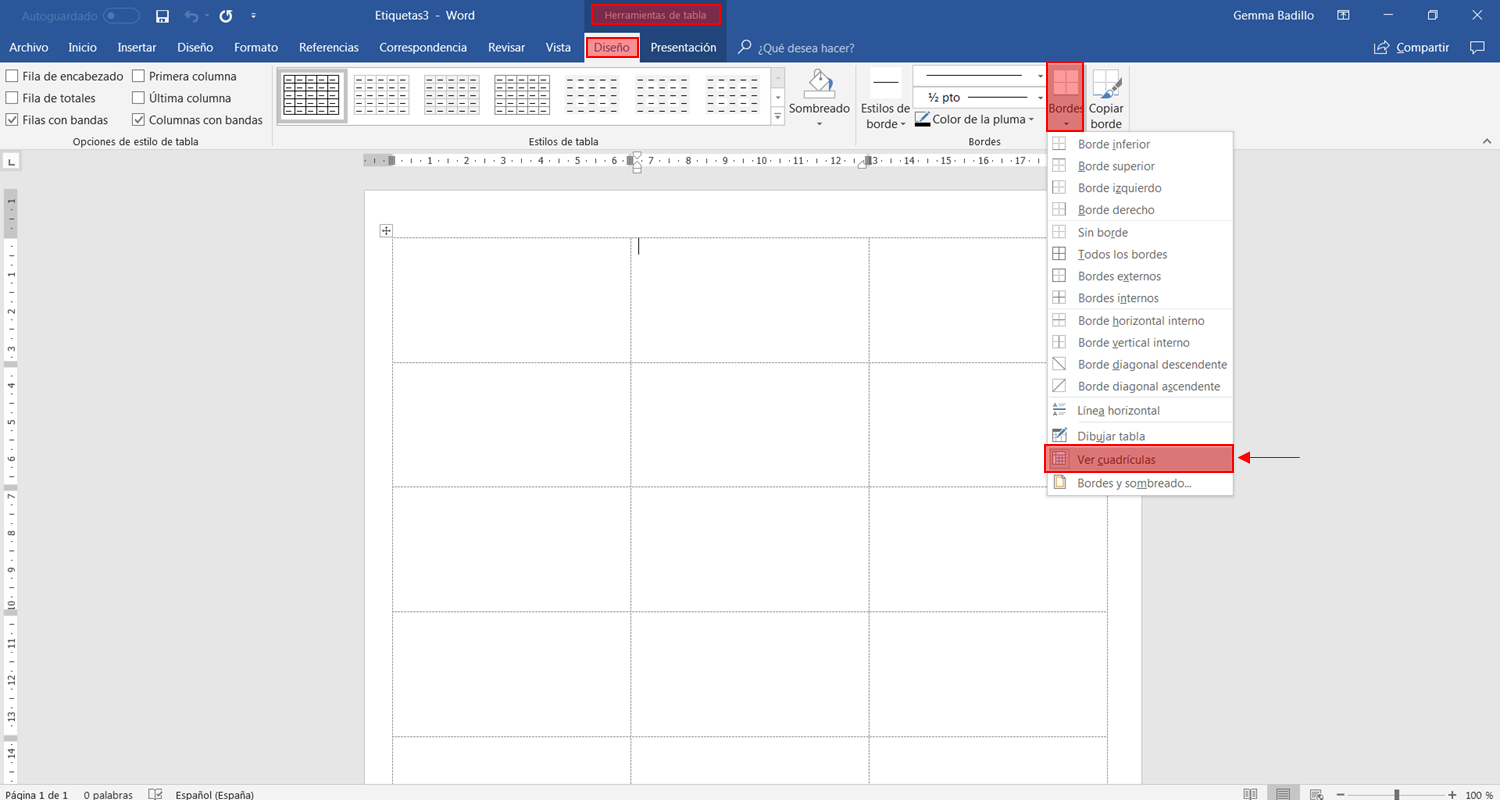
To view the division lines of the templates, follow this route in the upper menu in Word: Table tools > Design > Edges > See grid.

Imagen 24

The physical template is slightly misaligned with the template downloaded from the website in Word

The templates downloaded in Word format leave a small safety margin to avoid small printing errors, caused by the printer, movement of the paper or by the fact that most printers cannot print on the last centimeter of the paper.

It must be kept in mind that the templates are designed to print price labels or to send “mailing”, more than for designs that make the most of available space. For more precise designs, we recommend downloading the APLI Soft program. Available here.